 RETRIEVE
Log it one-handed
in a few taps
Big buttons you won't miss, wet hands or gloves.
Measure your fish's length from a photo, too.
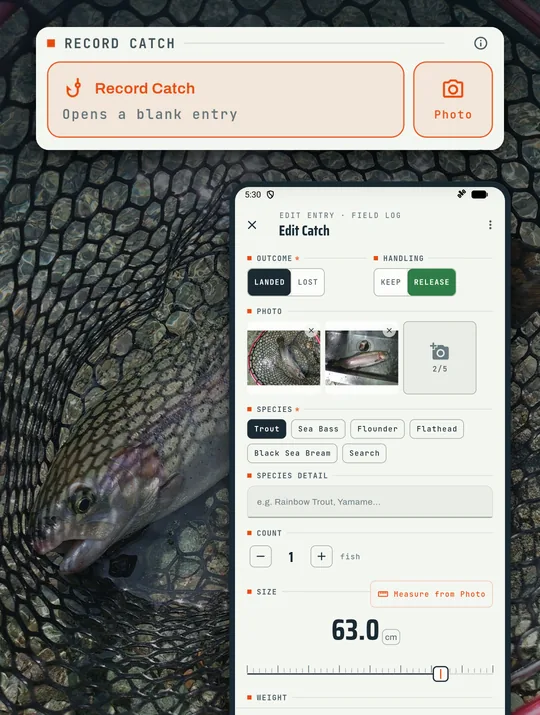
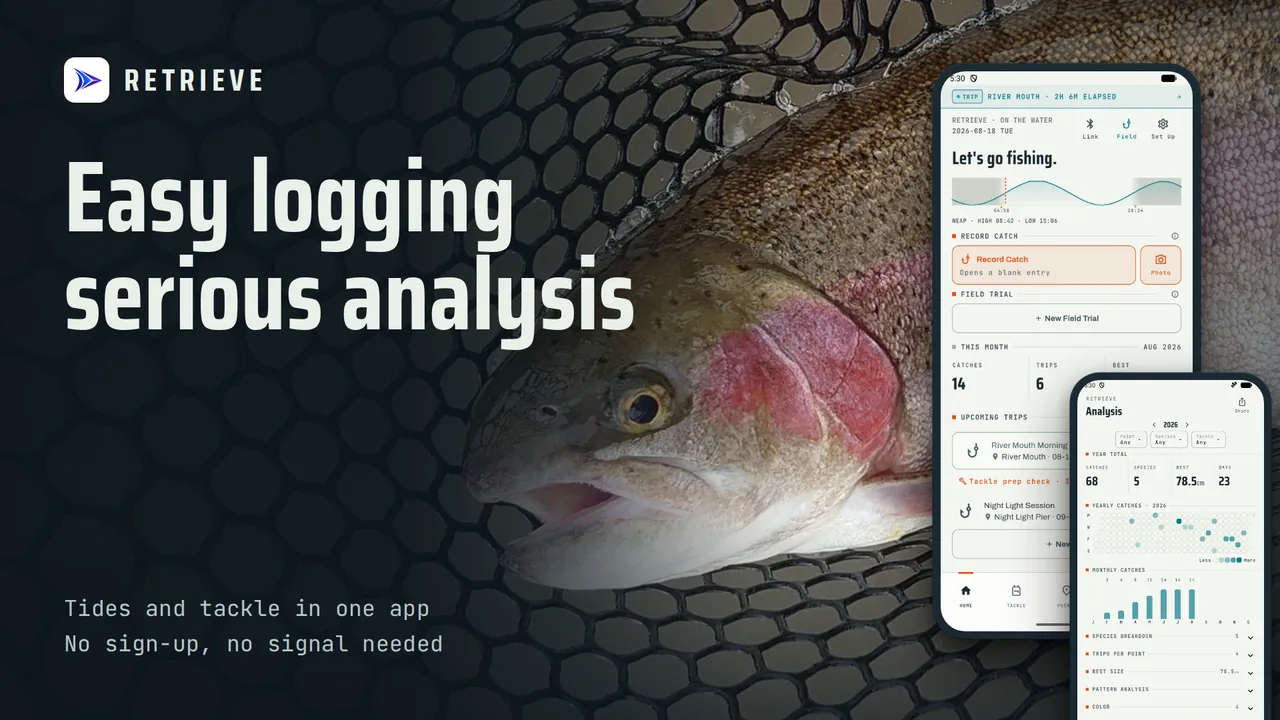
Catch log, tides & tackle. Works offline. Easy logging. Dial in today's pattern.
Big buttons you won't miss, wet hands or gloves.
Measure your fish's length from a photo, too.
Spot that one fish from that day by its photo.
See each catch's time and pattern in a single line.
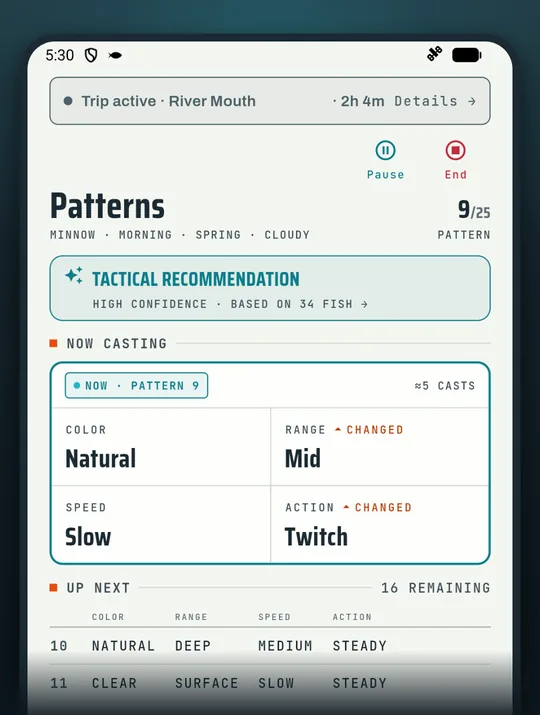
The app works out which combinations to try.
Find today's winning pattern in fewer casts.
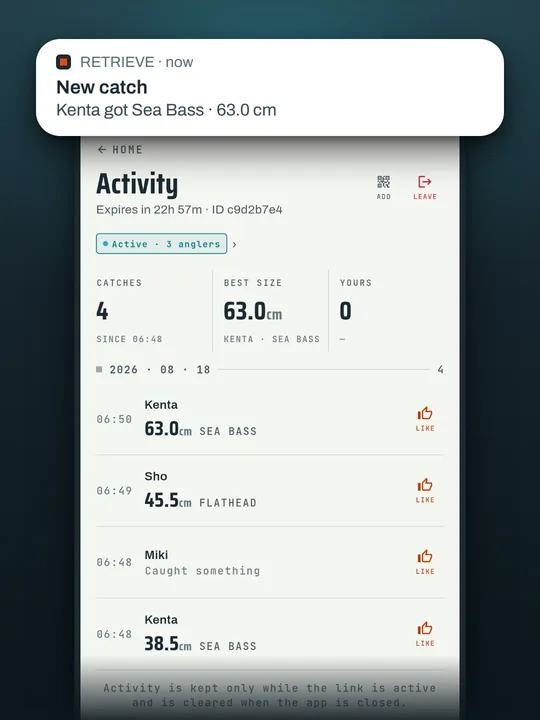
A buddy's catch reaches you the moment it lands.
Send a Like back right from the water.
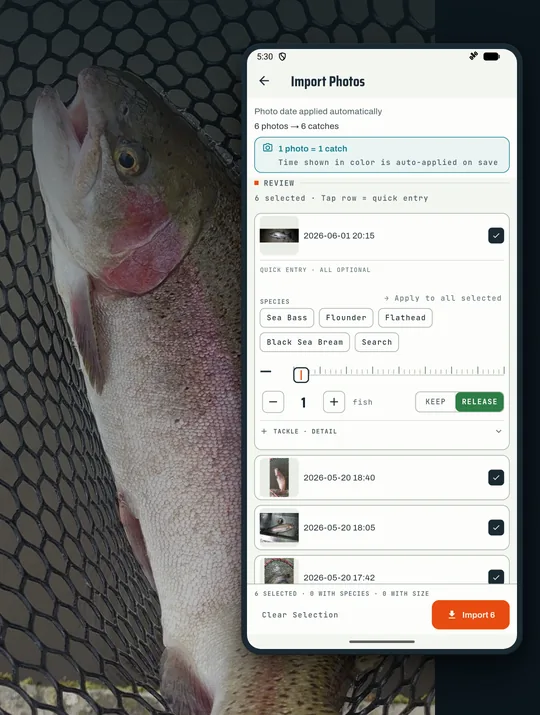
Just snap on the water, and log it back home.
Even catches from before you had the app.
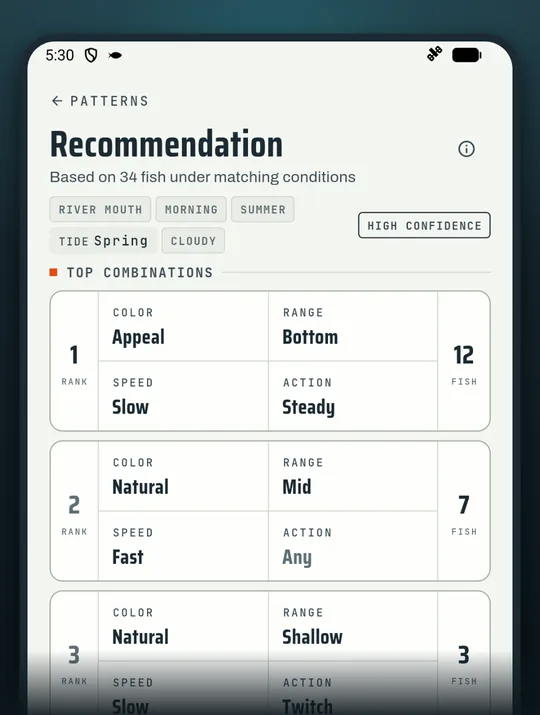
See what worked when tide and weather matched.
Know what to tie on before your first cast.
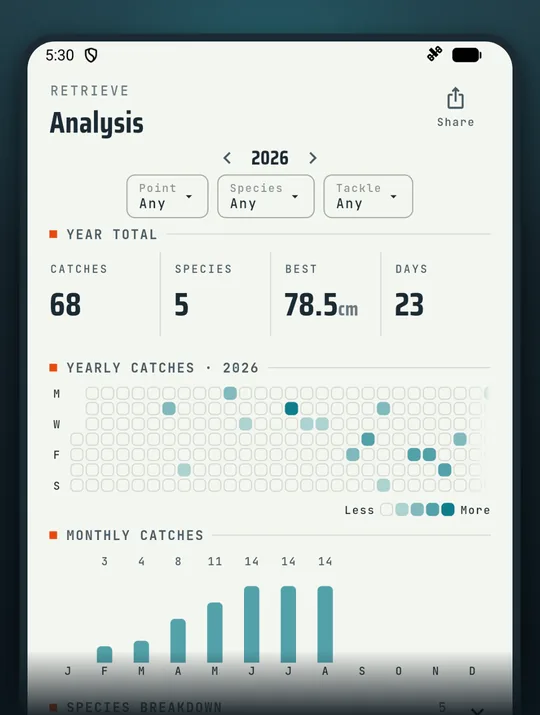
Best seasons and spots, skunked days, lost fish.
The more you log, the clearer it all gets.
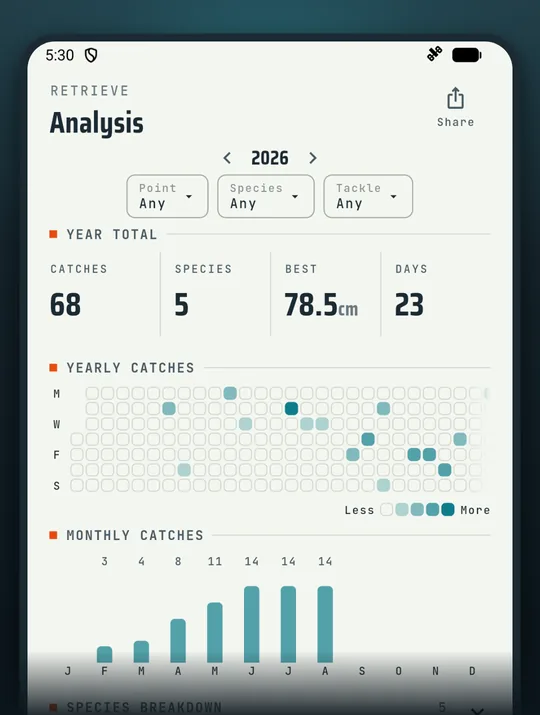
Break each spot into sub-points.
Your secret spots never leave your phone.
Catch log, trip journal, tackle box and tide chart in one app.
Saltwater or freshwater, bass or trout, lures or bait.
No sign-up hassle, every feature free. Works with no signal.
Easy logging, serious analysis. The fishing app for dialing in today's pattern as you cast.
Lure color, depth, speed, tide, weather and spot fill in automatically.
Log with one wet or gloved hand, nothing to type later.
Size it from a photo too: tap both ends of the fish, no ruler needed.
RETRIEVE narrows hundreds of color, depth, speed and action combos to 25 patterns.
Beginner or veteran, follow its order and know what to throw next.
Bluetooth sends alerts phone to phone the moment a buddy hooks one.
A mesh network relays them to buddies farther off.
Pick catch photos in bulk: each becomes a record, dated from the photo.
Your past seasons show up in graphs from day one.
Skunked days show "that lake is slow in spring"; landing rate finds weak links.
Note each respool to see when the next is due.
Install and go. Your log stays on your phone; it all works off the grid.
No cloud, so it opens and logs fast, no data leak worries. New phone? One QR code moves it all.
Lakes, rivers, piers, surf, inshore, offshore, kayak and bank fishing.
Also surf casting, ice fishing, fly fishing, catfish and panfish.
Logging and tides suit any style; pattern analysis shines in lure fishing.
Bass, walleye, pike, musky, trout, salmon, striped bass, redfish, snook, speckled trout and more.
Species, size, weight, photos and notes can wait. Start from a widget.
Snap it beside a card or coin.
Join by the host's QR code, no account; hits show species and size if added.
Lure combos are ordered so you try them evenly in fewer casts.
The next pattern comes as a "Hit!" / "SKIP →" alert, also on smartwatches that mirror notifications.
Shows patterns that produced on days like today, from your own log.
Yearly totals, landing rate, personal bests and rankings.
Your phone calculates high and low tide times accurately, even offline and abroad.
An easy-to-read tide graph greets you.
A planned trip becomes that day's log, stacking catches like a fishing diary.
Organize rods, reels, line, lures and bait gear; see what catches fish.
Lost, broken and Wishlist items form a "Needs restocking" shopping list.
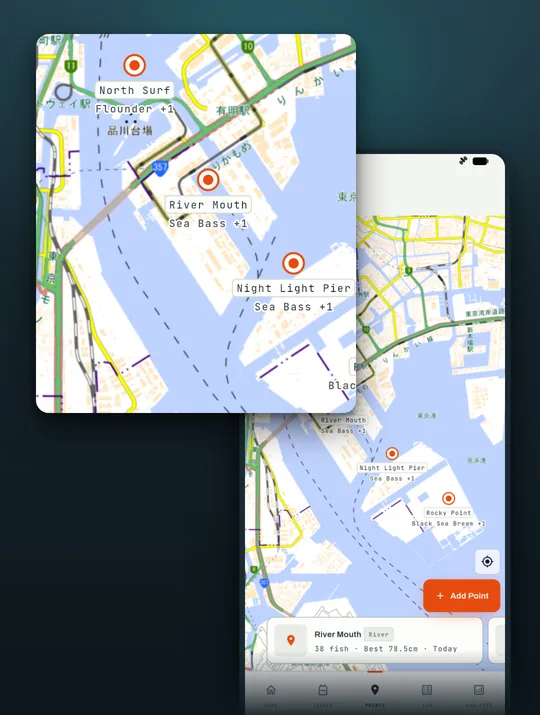
Save spots by map tap or current location, handy at new water; sub-points stay simple.
Four text sizes and separate home and on-the-water button sizes: easy to use.
Scan the old phone's QR code to transfer it all, photos too.
Or export a backup file.
Deleted items wait in "Restore Deleted Data".
Share catches or trips as image cards, captioned in 30+ languages.
No in-app purchases. Ads keep the lights on.
Made by one angler, for one angler.
Your spots are yours alone.
DATA SOURCES
Japan Meteorological Agency: https://www.data.jma.go.jp/kaiyou/db/tide/suisan/
NOAA CO-OPS: https://tidesandcurrents.noaa.gov/
EOT20 (DGFI-TUM): https://www.seanoe.org/data/00683/79489/
Geospatial Information Authority of Japan: https://maps.gsi.go.jp/development/ichiran.html
RETRIEVE is an independent app. It is not affiliated with, endorsed by, or representing any government agency. Tide data is for reference only; use official sources for navigation and safety decisions.
Yes. Every feature is free and there are no in-app purchases. The app is supported by ads.
No. There's no sign-up and nothing to set up: install it and start logging. Your catches and spots are saved on your phone.
Your catches, spots and photos are stored on your phone. There is no account and no RETRIEVE server, so nothing is uploaded on your behalf. Data leaves your phone only when you share it yourself: a catch card, a Field Link hit over Bluetooth, or a backup you send to your new phone.
Yes. Catch logging, pattern analysis, the tide chart and Field Link all work with no signal. Map areas you have already viewed stay available offline.
Two ways. DIRECT needs no internet: the old phone shows a QR code, the new phone scans it, and everything is copied over a private Wi-Fi link between the two. BY FILE: export a backup with photos and send it by Drive, email or cable, then import it on the new phone. Imports merge record by record, so you can also combine logs from two phones.
Deleted catches, trips, spots, sub-points, tackle and more are kept in Settings › Backup › Restore Deleted Data, where you can bring them back with a tap. A spot you swiped away on the water is not gone.
Yes. Text size has four steps (standard, large, extra large, maximum), and button size can be set separately for home and on the water, in Settings › Display. On the water, switching to Fishing Mode with one icon makes buttons and text one step bigger again.
There is no separate watch app, and none is needed. During a Field Trial the current pattern arrives as a phone notification with Hit! and SKIP buttons. If your watch shows phone notifications (for example Wear OS or Galaxy Watch), you can read the pattern and mark a hit from your wrist without taking the phone out.
Tides are predicted on your phone with no connection needed: Japan from Japan Meteorological Agency tide stations, the US from NOAA stations, and other coasts worldwide from the EOT20 global tide model.
Phones talk to each other over Bluetooth, with no server, Wi-Fi or mobile data. Friends join by scanning the host's QR code or tapping an invite link, and phones in between relay each hit to friends farther away.
RETRIEVE is currently available for Android phones (Android 11 or later) on Google Play. An iPhone version is planned for a future release.